Korea Seoul Short Trip eSIM and Wi-Fi Guide for Singapore Travelers

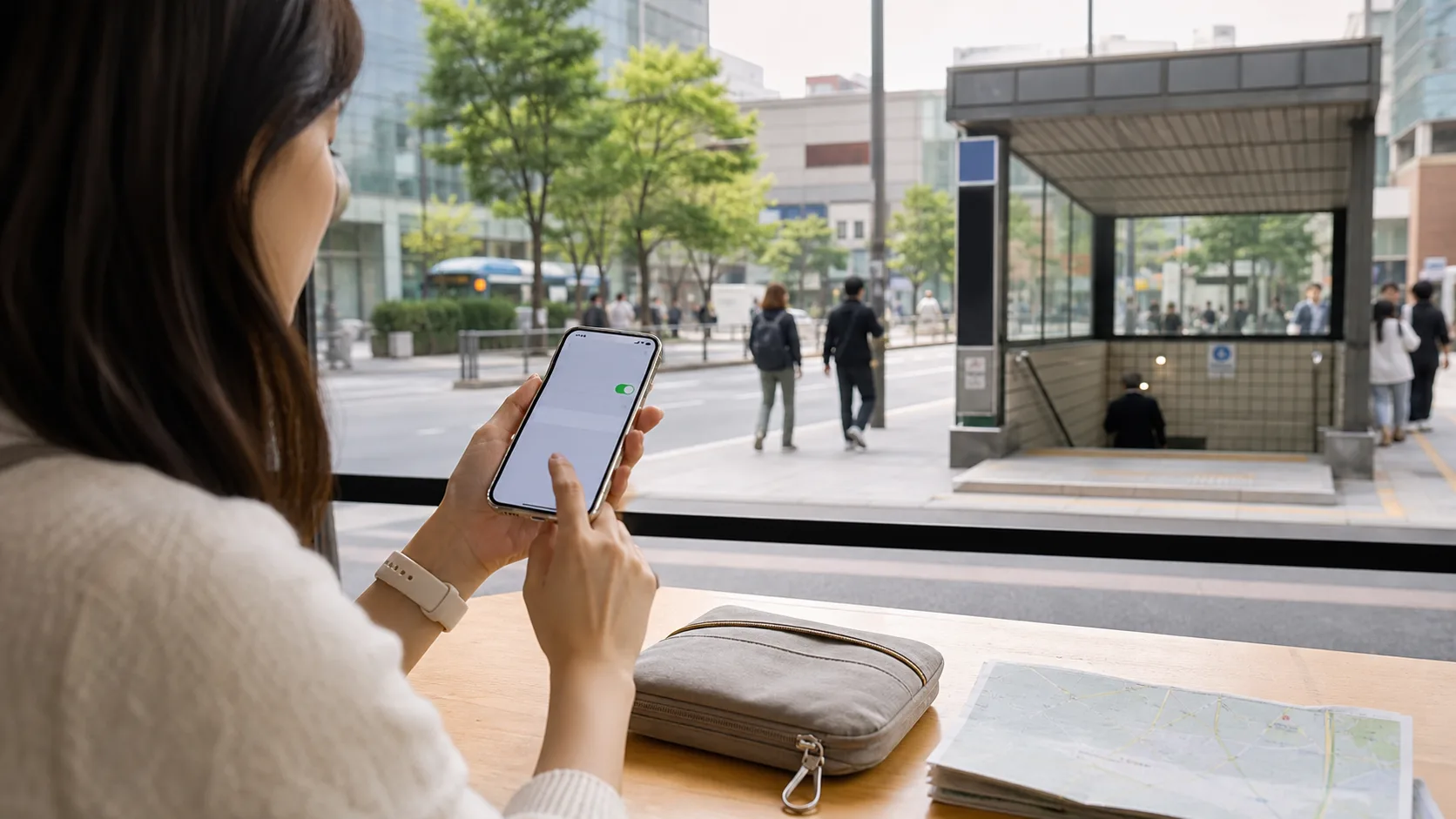
If you are flying from Singapore to Seoul for a long weekend, a 4D3N city break, or a short work-and-play trip, connectivity is one of the first decisions that affects everything else. It shapes how easily you can land, clear immigration, call a ride, translate menus, message your hotel, check Naver or Google Maps, and stay in touch with people back home without burning through roaming charges. The mistake many first-time travelers make is treating internet access as an afterthought. In Korea, that usually means either paying too much for roaming or losing time at the airport sorting out a device you did not need.
For most Singapore travelers, the practical answer is simple: buy an eSIM before departure if your phone supports it, or reserve pocket Wi-Fi only if you are traveling with a group or need to connect multiple devices. Roaming from your Singapore telco can work for very short trips, but it is rarely the best value once you start using maps, ride-hailing, social media, or video calls. If you want the least stressful setup, arrive with mobile data already active, keep your hotel Wi-Fi as a backup, and avoid depending on airport counters for a decision you could have made at home.
1. Fast Answer
For a short Seoul trip, an eSIM is usually the best default for Singapore travelers because it is fast to activate, does not require pickup or return, and keeps your phone free of extra hardware. Pocket Wi-Fi makes sense if you are traveling as a couple or group, or if you want one connection shared across a phone, tablet, and laptop. Singapore roaming is the backup choice, not the first choice, unless your trip is extremely short and you know your telco package is genuinely competitive.
The key is to match the product to your travel pattern. If you mainly need maps, messaging, ride-hailing, translation, and restaurant searches, data-only is enough. If you need a Korean phone number, a physical SIM may be better than an eSIM, but most short-trip visitors do not actually need local voice or SMS. The best setup for a Seoul stopover or weekend break is usually: unlocked phone, eSIM installed before departure, hotel Wi-Fi as backup, and a plan with enough data for navigation and photo-heavy browsing.
A quick decision rule
| Situation | Best option | Why |
|---|---|---|
| Solo traveler, modern phone, short stay | eSIM | Cheapest friction, no pickup, no return |
| Two to four travelers sharing one connection | Pocket Wi-Fi | One device can cover several phones and tablets |
| Phone does not support eSIM | Pocket Wi-Fi or physical SIM | Avoids compatibility problems |
| Need local Korean number for calls/SMS | Physical SIM | Better for voice and local verification |
| Want to keep your Singapore SIM active without swapping | eSIM | Dual-line setup is straightforward |
The real point is not just getting online. It is getting online without wasting your first hour in Seoul on logistics you could have handled in advance.
2. Context You Need
Seoul is one of the easiest cities in Asia to navigate with mobile data, but it also rewards travelers who arrive prepared. The city is dense, fast-moving, and extremely app-driven. Even when you already know where you want to go, you will probably still use your phone for real-time train directions, translated restaurant menus, Kakao T or similar ride options, shopping district maps, hotel check-in messages, and payment confirmations. That makes connectivity less of a luxury and more of a basic travel tool.
For Singapore travelers, the habits are familiar. You probably already expect to land, switch on data, and get on with the trip. The difference in Korea is that short-stay visitors often split into two groups. The first group wants maximum simplicity and chooses a travel eSIM or roaming package. The second group tries to save a little money by renting a pocket Wi-Fi router, then spends time managing battery life, return instructions, and who is carrying the extra device. On a weekend trip, that tradeoff matters more than it sounds.
There is also a practical difference between "internet access" and "complete phone service." Many visitors only need data. That covers maps, messaging apps, browsing, translations, hotel communication, and most of the practical things that make a trip smooth. A smaller group needs calls and SMS for local reservations, delivery services, or Korean verification flows. If you are not sure which category you fall into, assume data-only first. You can always add voice later, but you cannot easily undo the friction of carrying unnecessary hardware.
Another reason this topic matters is that short Seoul trips are often packed. You may fly in on Friday night, start sightseeing on Saturday morning, and leave on Monday. That leaves little margin for mistakes. If your mobile plan is not ready, the delay shows up right away. If your data runs out early, the inconvenience shows up when you are trying to find a cafe, catch a train, or check whether your reservation is on the correct date. Connectivity sounds small, but on a short trip it affects nearly every other decision.
3. Step-by-Step Guide
The easiest way to handle connectivity for Seoul is to decide in sequence, not at random. Start with your phone, then your travel style, then your expected usage, and only then the product.
Step 1: Check your device first
Before you compare plans, check whether your phone supports eSIM and whether it is carrier-unlocked. Those two checks solve more problems than any price comparison. An unlocked phone can accept another provider’s eSIM or physical SIM. A locked phone cannot. If you are using an older phone, a mainland China variant, or a device tied to a contract, verify this before you buy anything.
Also check the practical details:
- Does your phone support dual SIM or dual-line operation?
- Do you want to keep your Singapore line active for OTPs or incoming texts?
- Will you need the same data connection on a second device?
- Do you expect to use hotspot sharing?
If the answer to most of those questions is yes, an eSIM is still often enough. If you need to connect a laptop and a second phone all day, pocket Wi-Fi may become more attractive.
Step 2: Estimate how you will actually use the connection
Do not overbuy based on fear. Most short Seoul trips do not require huge data packages unless you are streaming, uploading videos, or working remotely. A realistic trip pattern looks more like this:
- Navigate from the airport to the hotel
- Check train times and station exits
- Translate signs, menus, and transport instructions
- Message family or travel companions
- Search restaurants, cafes, and opening hours
- Upload a few photos and short videos
That is data-light to moderate. It does not justify a complicated setup. If you are traveling for work, doing content creation, or using your phone as a hotspot, the requirement changes. In that case, data ceiling and network stability matter more than the cheapest headline price.
Step 3: Pick the right product for your trip
Here is the decision framework I use for Singapore travelers on short Korea trips:
eSIM
Choose this if:
- You want the least friction
- Your phone supports eSIM
- You do not need a Korean voice number
- You want to keep your physical Singapore SIM in place
Why it works: you can install it before leaving Singapore, test it on Wi-Fi, and land already connected. That is ideal for a short itinerary.
Pocket Wi-Fi
Choose this if:
- You are traveling with two or more people
- You want to share one connection across several devices
- You do not want to touch your phone’s SIM setup
- Your phone is incompatible with eSIM
Why it works: one rental device can support a small travel group. The tradeoff is another battery to manage and another item to carry.
Roaming from your Singapore telco
Choose this if:
- Your trip is extremely short
- You need zero setup
- Your roaming package is clearly affordable
Why it works: it is the simplest possible option. Why it often loses: it is usually the most expensive over a normal city trip.
Physical SIM
Choose this if:
- You need a Korean phone number
- You plan to use local services that expect voice or SMS
- Your phone does not support eSIM
Why it works: it behaves most like a local line. Why it is less convenient: you may have to swap cards and manage a physical SIM tray.
Step 4: Buy before you fly when possible
The best time to arrange connectivity is before you leave Singapore. That gives you three advantages:
- You can compare options calmly on Wi-Fi.
- You can install and test an eSIM at home.
- You reduce the odds of making a rushed purchase at the airport.
If you are using an eSIM, install it before departure and keep it disabled until you are ready to use it, unless the provider tells you otherwise. If you are renting pocket Wi-Fi, reserve in advance so pickup is predictable. If you are relying on roaming, verify the exact daily or trip charge and whether the package renews automatically.
Step 5: Configure dual-line behavior before landing
This is the part many travelers skip. The phone settings matter almost as much as the plan.
Use this checklist:
- Set the travel eSIM as the mobile data line
- Keep your Singapore line active if you need SMS or OTPs
- Turn off data roaming on the Singapore line if you do not want surprise charges
- Enable roaming only on the travel eSIM if the provider requires it
- Test hotspot sharing if you plan to use a second device
If you are using a pocket Wi-Fi router, charge it fully before departure and pack the cable you need. Then decide who will carry it during the day. The "shared device" idea often becomes a "whose bag is it in?" question by lunchtime.
Step 6: Confirm your backup plan
Even the best setup should have a backup. In Seoul, hotel Wi-Fi is usually the simplest fallback. Many cafes, stations, and public venues also have Wi-Fi, though quality and login friction vary. If you are on an eSIM and the connection fails, hotel Wi-Fi is your first troubleshooting point. If you are on pocket Wi-Fi and the battery dies, your phone’s own data plan or hotel Wi-Fi becomes the backup.
A practical comparison for short Seoul trips
| Factor | eSIM | Pocket Wi-Fi | Roaming |
|---|---|---|---|
| Setup speed | Very fast | Moderate | Fast |
| Convenience | High | Medium | High |
| Cost control | Good | Good for groups | Often weak |
| Battery burden | Low | Medium to high | Low |
| Multiple devices | Weak unless hotspot is used | Strong | Weak |
| Need for pickup/return | No | Yes | No |
| Best for | Solo and couple trips | Small groups | Emergency simplicity |
If you want the cleanest outcome, eSIM is the default winner for most Singapore travelers on a short Seoul city break.
4. Costs, Hours, and Logistics
The exact cost of connectivity changes often, so the most useful way to think about it is in relative terms.
eSIM cost logic
Travel eSIMs usually price by data amount, validity period, and whether the plan is local-only or regional. For a short Seoul trip, the value is often excellent because you are paying for convenience, not hardware. Solo travelers usually find eSIMs cheaper than renting pocket Wi-Fi once you factor in less hassle and no return process. If you need more data than expected, top-up is often simpler than replacing the whole product.
The main logistical caveat is compatibility. A cheap plan is worthless if your phone cannot install it. The second caveat is activation timing. Some plans activate on installation, some on first network connection, and some on a specific start date. Read that part carefully.
Pocket Wi-Fi cost logic
Pocket Wi-Fi often makes more sense when several people share one router. The larger the group, the better the economics can look. The hidden cost is not just the rental fee. You also need to factor in pickup and return, the risk of forgetting the device, and the inconvenience of charging it daily. For a couple on a short city break, the extra friction often outweighs the benefit unless they have multiple devices or one person wants to save phone battery.
Roaming cost logic
Roaming is the easiest option to understand and the easiest to overpay for. It is sometimes worth it if your telco has a genuinely good short-trip package, but many travelers choose it only because they did not compare alternatives. On a short trip where you are constantly checking directions, photos, and messages, roaming can become expensive quickly.
Airport and pickup logistics
If you plan to collect a physical SIM or pocket Wi-Fi at the airport, build in time for queueing. Even when the counter is convenient, arrival timing, baggage delays, and immigration lines can eat into your schedule. That is why advance eSIM setup is so attractive: it turns the airport into a transit point instead of a shopping point.
Payment and booking caveats
As a general rule:
- eSIMs are easiest to pay for before departure.
- Pocket Wi-Fi is easiest to reserve online and collect on arrival.
- Roaming is easiest to activate through your telco app or account.
- Physical SIMs are the most likely to involve extra verification or documentation.
If you are traveling in peak holiday periods, book earlier than you think you need to. The convenience product that seems "available later" is the one that often causes last-minute stress.
5. Variations and Edge Cases
Not every traveler should choose the same setup. The right answer changes depending on season, group size, and travel pattern.
Solo travelers
If you are traveling alone, eSIM almost always wins. You do not need to manage a router, and you do not need to hand off the connection to someone else. You also keep your bag lighter, which matters more than people admit on a city trip with subway transfers and cafe stops.
Couples
Couples can go either way. If both people have eSIM-compatible phones, it is usually simplest for each person to install one. That gives you redundancy and avoids the "where is the router?" problem. If one person has a phone that cannot use eSIM, pocket Wi-Fi may be the easiest shared solution.
Families or small groups
Pocket Wi-Fi starts to make more sense when three or four travelers are all using data heavily. Families often appreciate having one device to connect multiple phones and tablets. The downside is that one person has to act as the carrier, and someone has to remember to charge and return it. If you want less group admin, separate eSIMs are still cleaner.
Work travelers
If you are taking calls, joining meetings, or uploading files, reliability matters more than pure price. In that case, it can be worth having both a travel eSIM and hotel Wi-Fi, or using roaming as a backup to your eSIM. The goal is not just internet access but continuity.
Travelers with older phones
Older phones, or devices with locked SIM settings, are the main reason eSIM breaks down. If your hardware is not compatible, do not force the issue. Pocket Wi-Fi is often the least painful fallback.
Travelers who need local numbers
If you need a Korean number for reservations, some delivery workflows, or voice-based communication, a data-only eSIM may not be enough. In that edge case, consider a physical SIM instead of assuming all travel data products are interchangeable.
Winter, summer, and festival periods
The season does not change the type of product you need, but it does change how much you value reliability. In winter, you do not want to waste time outside at airport pickup counters. In summer, heavy sightseeing and spontaneous side trips can increase data usage. During holidays or major events, advance setup matters because any delay becomes more annoying when the city is crowded.
6. Mistakes to Avoid
The most common mistake is buying the wrong product for the wrong reason. Travelers often choose pocket Wi-Fi because it sounds familiar, not because it is actually the best fit. Others choose roaming because it feels easiest, then discover the final bill was far more than they expected.
The other major mistake is failing to test the phone before flying. If your eSIM is not compatible, if the phone is locked, or if your data settings are wrong, you want to discover that at home, not after landing in Seoul. Also avoid assuming you need a local number when you do not. Many short-trip travelers only need data. Finally, do not leave setup to the airport unless you genuinely have no choice. Airport convenience can disappear quickly once the queue starts.
7. FAQ
Do I need a local Korean phone number for a short Seoul trip?
Usually no. If your trip is only a few days and you mainly need maps, messaging, ride-hailing, and hotel contact, data is enough. A local number becomes more useful if you need voice calls, SMS verification, or certain local services that expect a Korean contact.
Is eSIM better than pocket Wi-Fi for Seoul?
For most Singapore travelers, yes. eSIM is usually simpler, lighter, and faster to set up. Pocket Wi-Fi is better only when you want to share one connection across multiple people or devices, or when your phone cannot use eSIM.
Can I keep my Singapore SIM active while using a Korea eSIM?
Yes, if your phone supports dual-line use. That is one of the main advantages of eSIM. You can keep your Singapore number available for incoming texts or OTPs while using the travel eSIM for data.
Should I use roaming instead?
Only if the package is genuinely competitive or you value zero setup above all else. Roaming is convenient, but for a normal short Seoul trip it is often more expensive than eSIM and less flexible than pocket Wi-Fi.
How much data do I need for a weekend in Seoul?
Most travelers can get by with a modest plan if they are mainly using maps, messages, and light browsing. If you expect heavy social media use, video uploads, hotspotting, or work calls, size up. The safer move is to estimate your use honestly, not optimistically.
What happens if my eSIM fails after landing?
First, switch to hotel Wi-Fi and check whether your data line is enabled correctly. Second, confirm roaming settings for the travel eSIM. Third, verify that your phone is unlocked and compatible. If the issue is still unresolved, a backup pocket Wi-Fi or a roaming line can save the day, but that is exactly why pre-trip testing matters.
Is pocket Wi-Fi hard to return?
It is not hard, but it is another thing to manage. You need to remember the return method, keep the device charged, and make sure the cable and case go back with it if required. That extra admin is the main reason many short-trip travelers prefer eSIM.
8. Next Steps
If you are booking a short Seoul trip from Singapore, the next best move is to decide on connectivity before you book anything else that depends on your phone. Check whether your device supports eSIM, estimate whether you need solo data or shared group Wi-Fi, and then lock in the simplest option that meets your needs. For most travelers, that means an unlocked phone, a preinstalled eSIM, and hotel Wi-Fi as the fallback. If you are traveling with family or multiple devices, pocket Wi-Fi becomes more reasonable. If you are still unsure, choose the option that removes the most airport friction, because on a short trip, time matters more than shaving off a small difference in cost.
Related: korea-seoul-short-trip-neighborhood-guide-for-first-time-visitors
Related: korea-seoul-short-trip-first-time-travel-guide-for-short-holidays
Related: korea-seoul-short-trip-itinerary-for-singapore-travelers